

Optional features
Optional features
We provide necessary functions for production management and quality control operations as HITPHAMS optional features.
Various features are available within HITPHAMS based on user operational requirements.
| Features | Summary |
|---|---|
| Production planning | Monthly production planning, medium-term schedule management |
| Purchasing management | Requirements planning, order placement and inspection management |
| Warehouse management | Conveyor system integration, shelf inventory inbound/outbound management |
| Cost accounting functions | Cost accounting management by year |
| Calibration management | Equipment calibration and inspection management |
Feature overview (partial)
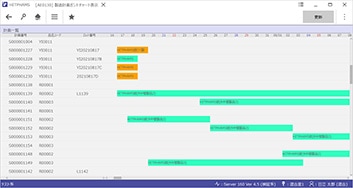
Production planning
- HITPHAMS can create medium-term schedules from monthly production plans and apply them to create detailed schedules.
- It can automatically adjust lot sizes and consolidate instructions by considering the contents of multiple plans.
- The image on the left shows the medium-term schedule screen.
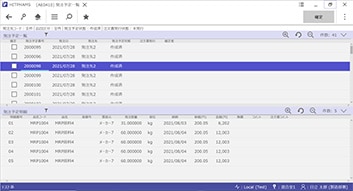
Purchasing management
- HITPHAMS can calculate required quantities and place orders based on detailed schedules and manufacturing order information.
- This enables warehousing, inspection, and returns in response to orders.
- The image on the left shows the order schedule list screen.
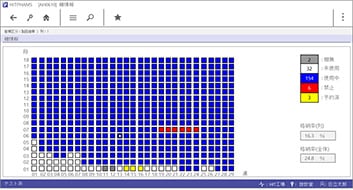
Warehouse management
- HITPHAMS can be linked with conveyor systems to issue conveyance instructions and perform pallet storage and retrieval.
- It can also manage and display the shelf status of automated warehouses.
- The image on the left shows the shelf management screen.
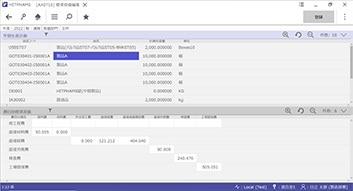
Cost accounting functions
- HITPHAMS can manage raw material unit prices and manufacturing costs.
- It can perform cost calculations linked to account closing procedures and manage costs per fiscal period.
- The image on the left shows the standard cost management screen.
Calibration management
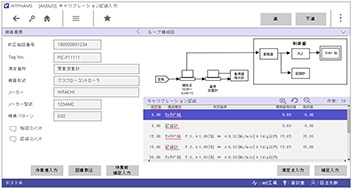
- HITPHAMS can manage the calibration and inspection of manufacturing equipment and devices.
- It automatically calculates the accuracy (margin of error) of calibrated instruments and automatically determines whether calibration results pass or fail.
- The image on the left shows the calibration record input screen.