

LaboQ Business Support System for ISO 15189 / Revised Medical Care Act
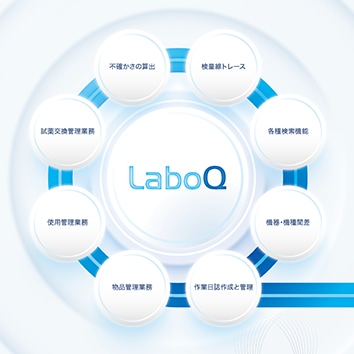
Supports compliance with ISO 15189 and the Revised Medical Care Act, while reducing operational workload.
LaboQ is an application that collects data online in real time from Hitachi automatic analyzers, including test results, Caliburation/Quality Control data, reagent lot numbers, and instrument error data. The system aggregates this information, generates graphs and reports, and offers a wide range of search functions to enhance quality and efficiency of laboratory operations.
This page contains product information intended for the Japanese market.
Some images or details may include Japanese text. Specifications are subject to change without notice.
Supported models
Countries of sale:
Japan:LaboQ(ラボック) ISO 15189/改正医療法 業務支援システム
Features
Eight functions of the LaboQ Business Support System for ISO 15189 / Revised Medical Care Act
LaboQ is equipped with eight essential functions designed to meet these regulatory requirements. The system emphasizes ease of use, allowing one-click switching between functions.
A convenient calendar feature for recording activities and scheduling maintenance is linked to all eight functions for quick searching.
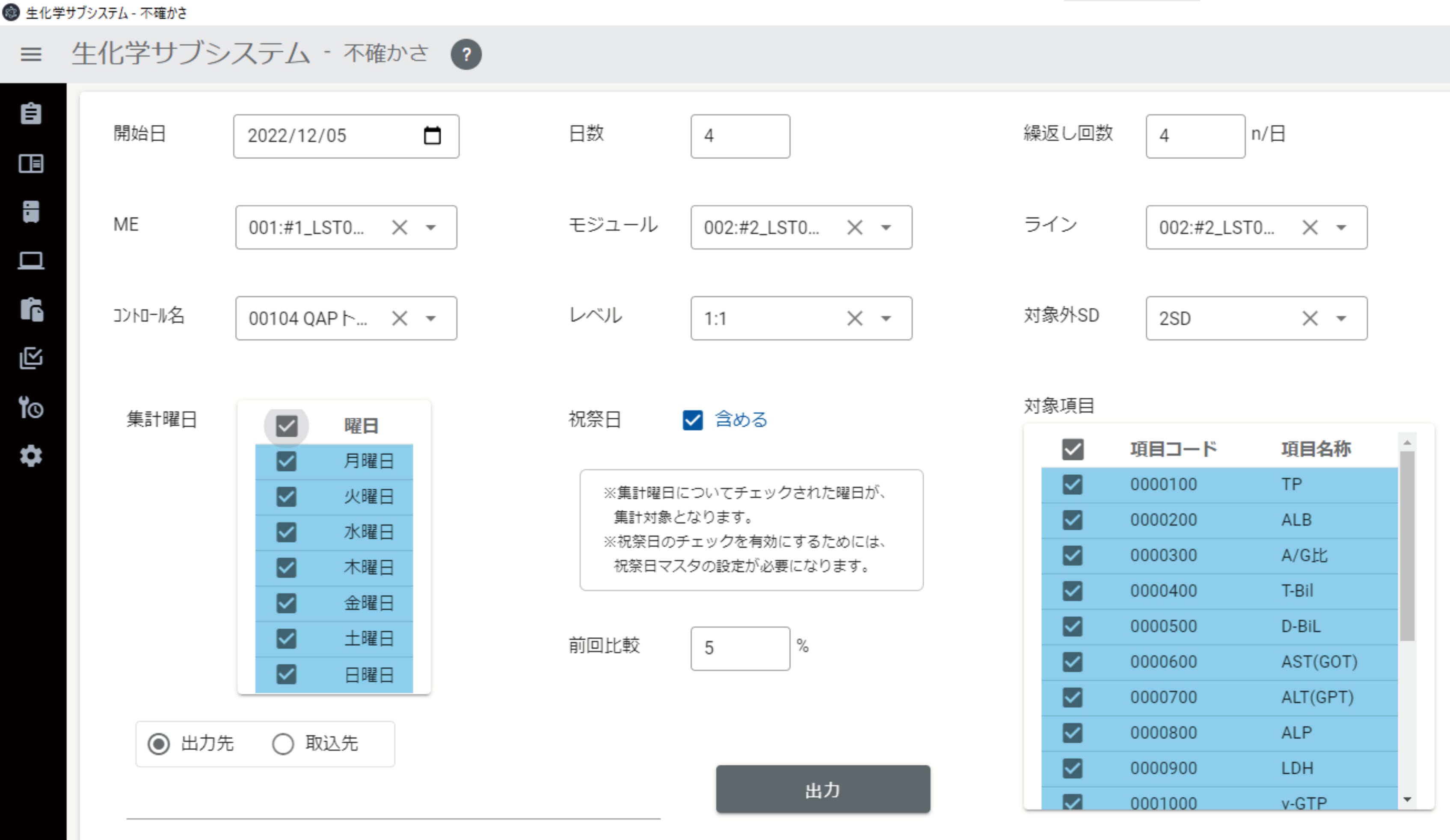
1. Uncertainty calculation
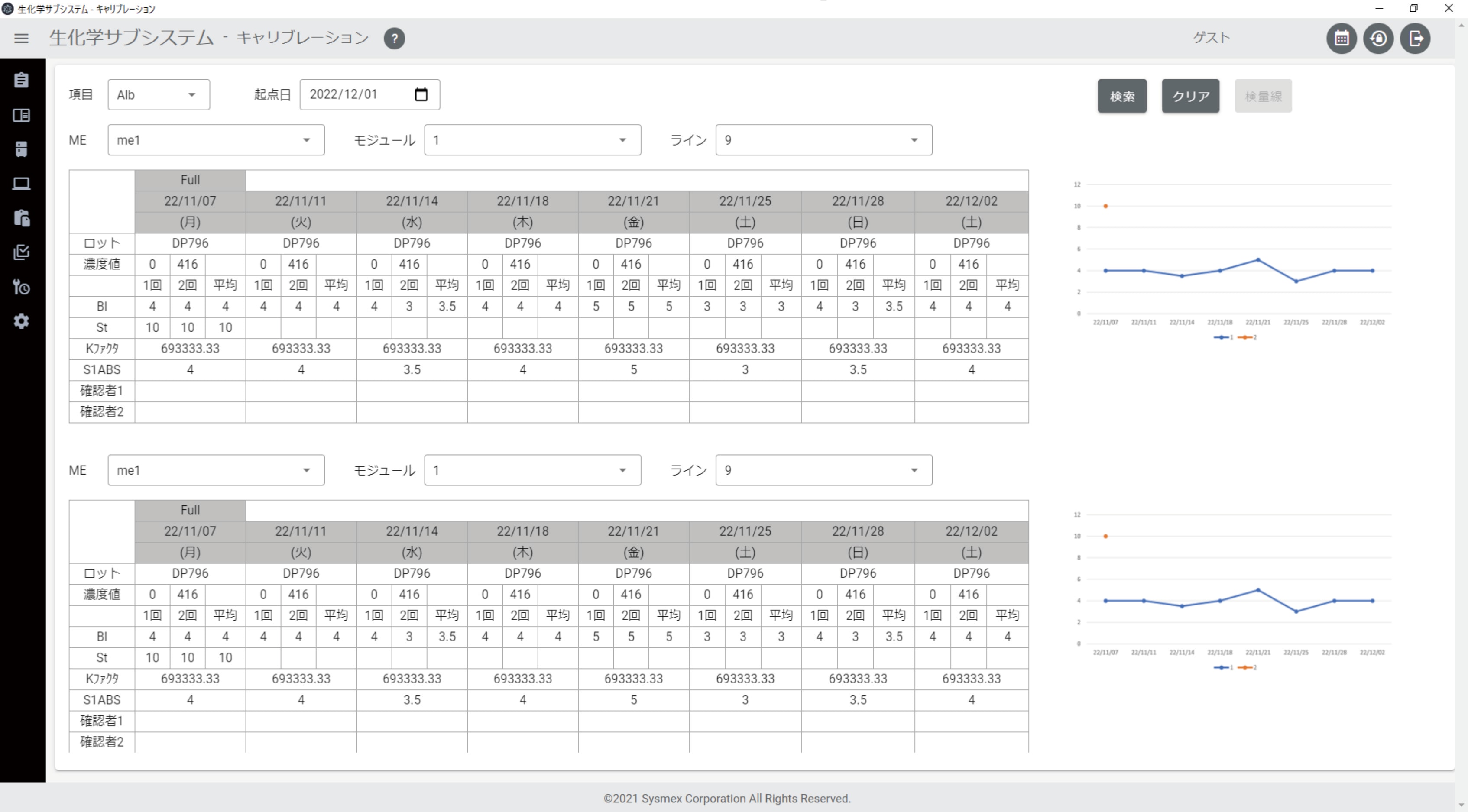
2. Calibration curve trace
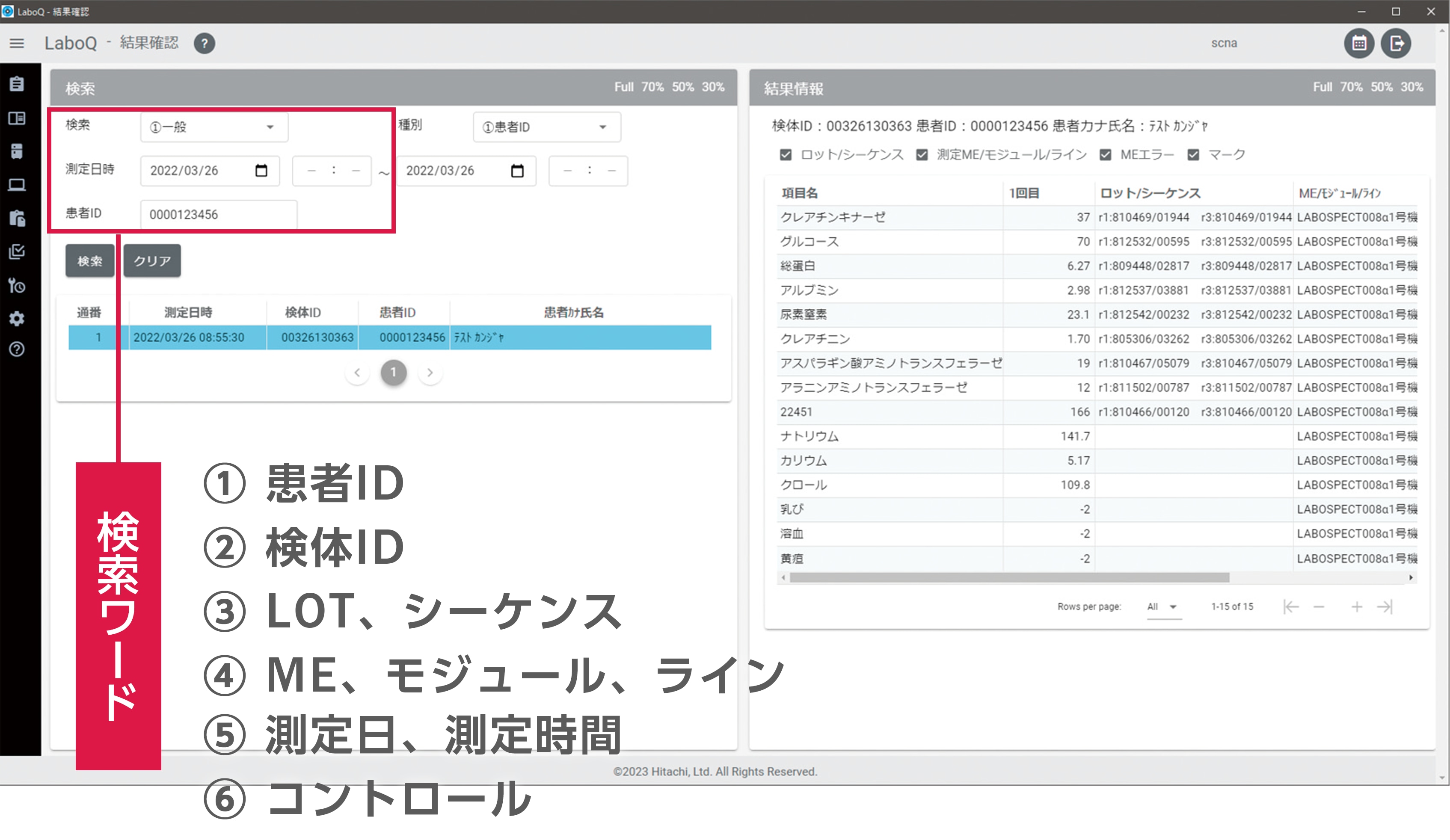
3. Search functions
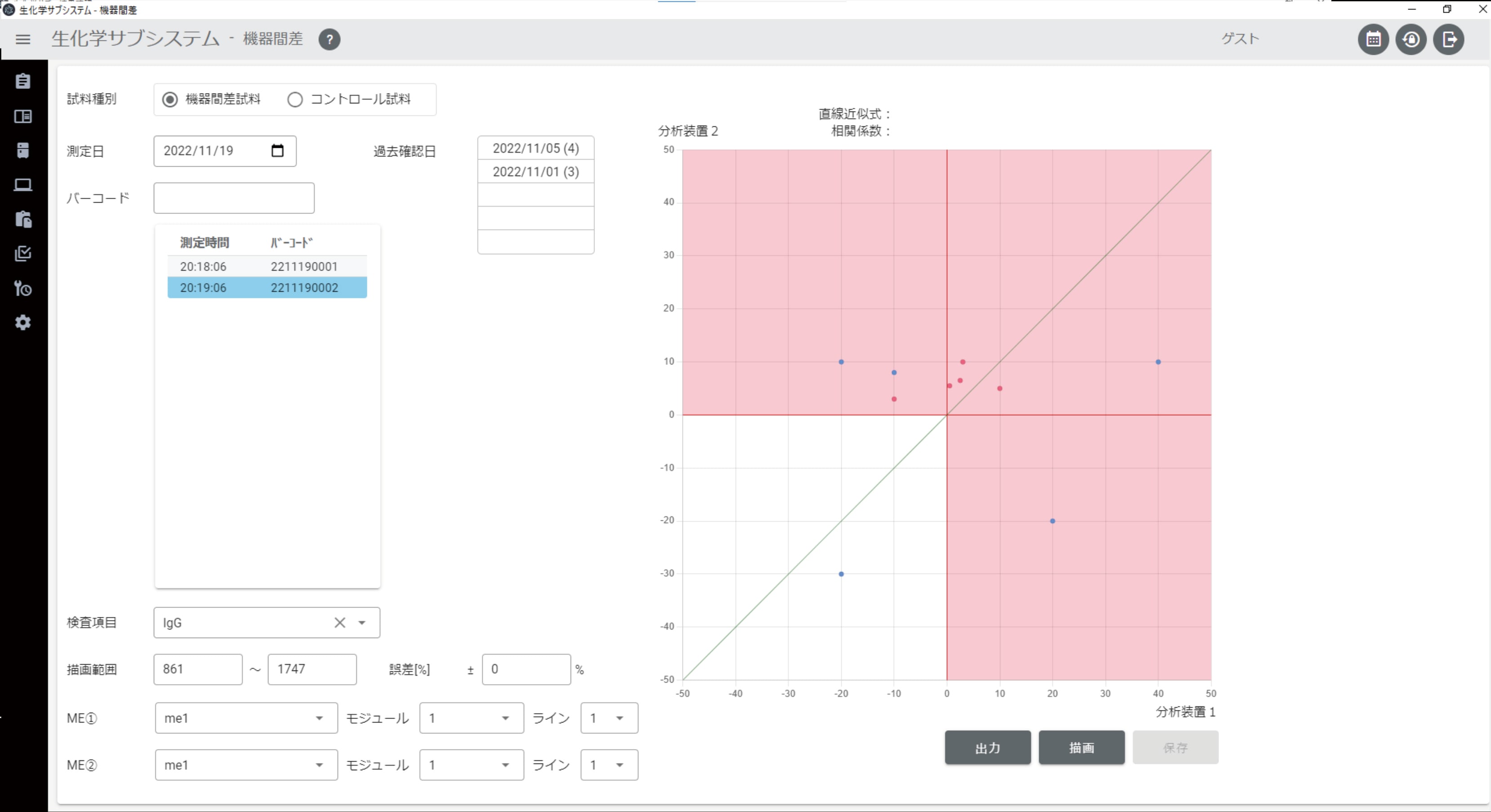
4. Inter-instrument and inter-model differences
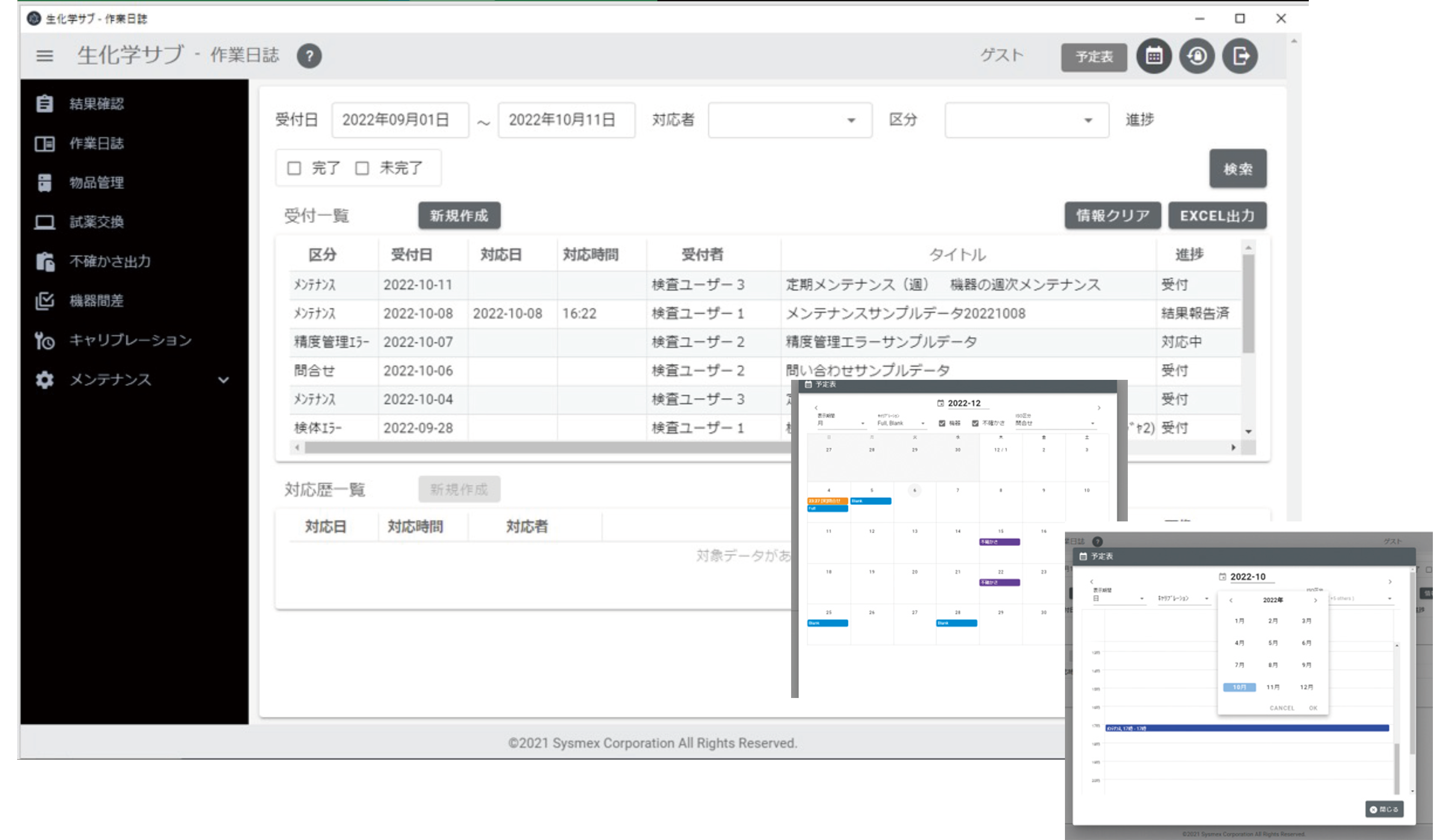
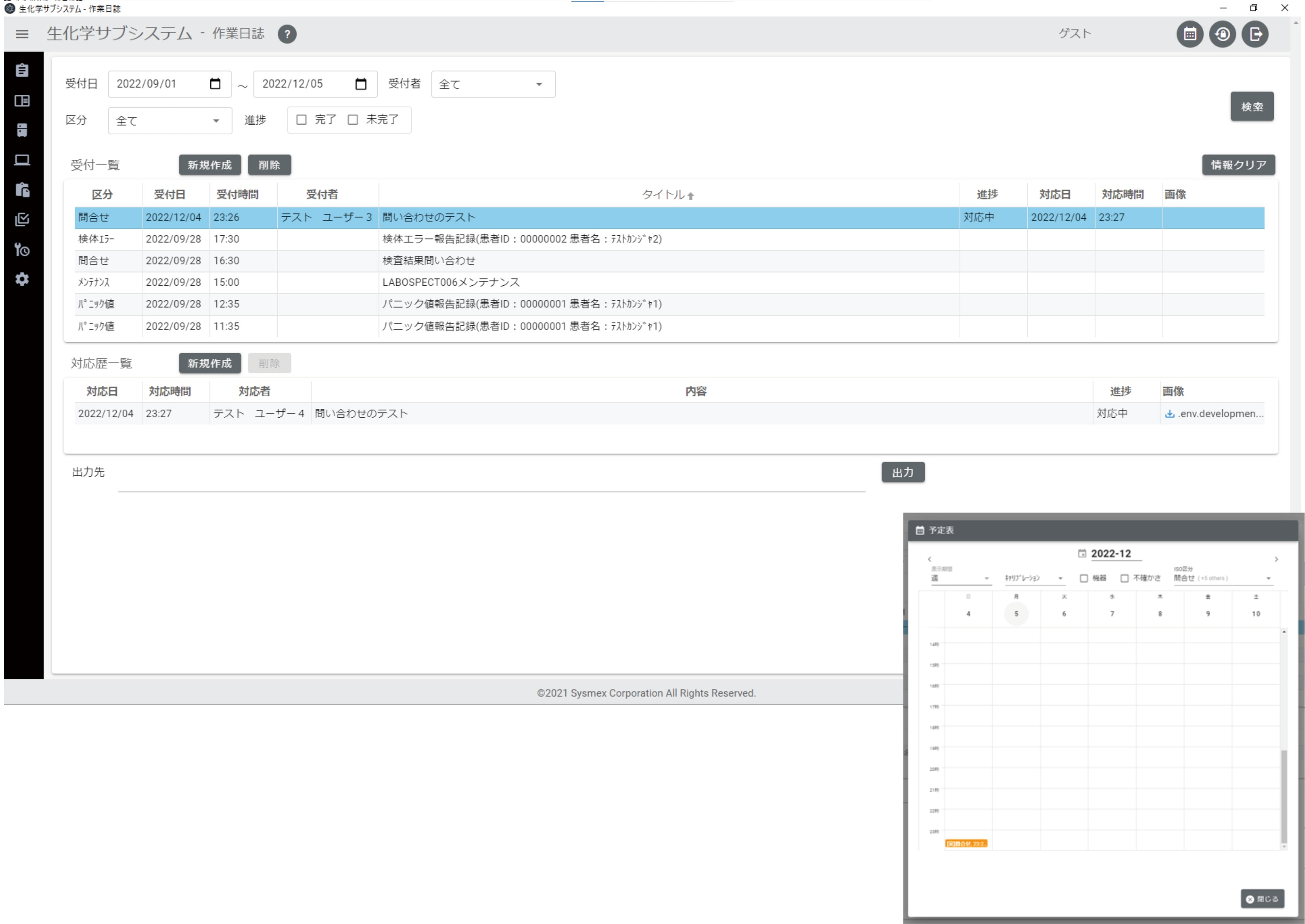
5. Work log creation and management
Task counts and error counts (including retests) are aggregated from measurement work logs and instrument maintenance records, and inquiry details can be entered chronologically
※ You can perform tasks such as creating work logs, tracking progress on inquiries, scheduling tasks, and recording completed work, all integrated with the calendar feature.
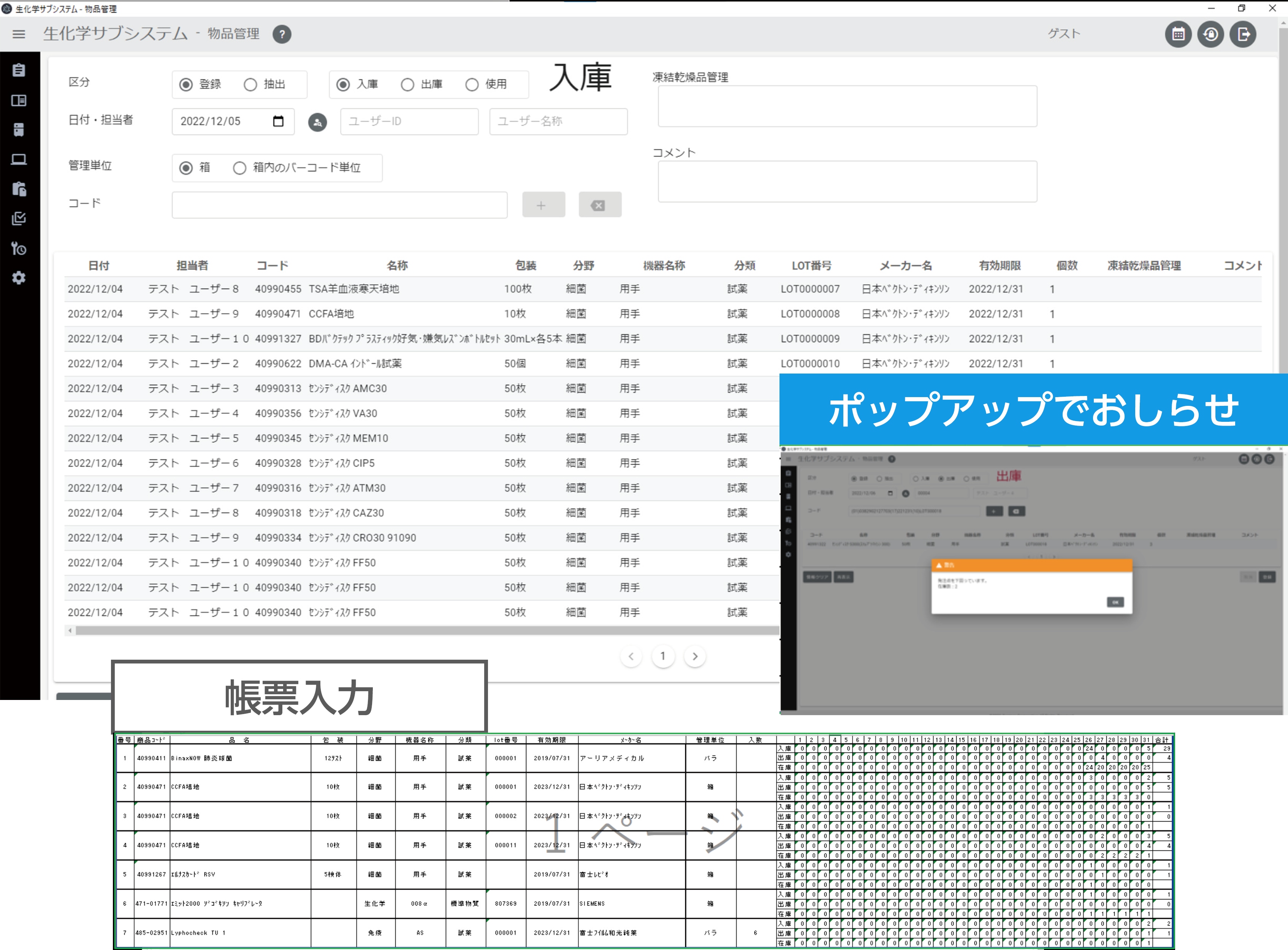
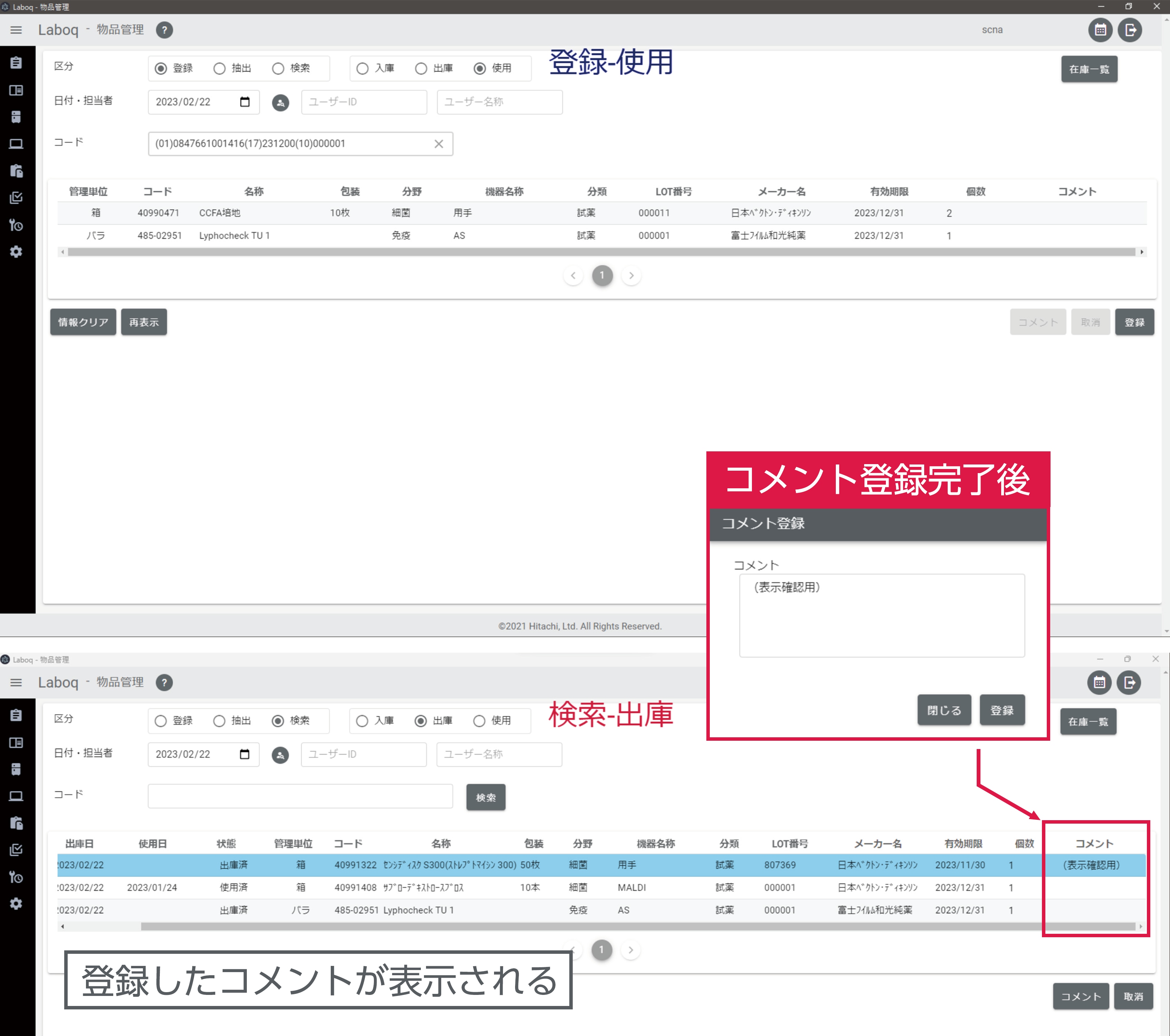
6. Inventory management
Manages the receipt and issuing of reagents and consumables, along with the inventory manager and lot information
※
Inventory operations can be performed using GS1-128 barcodes, with output available in report format.
If minimum stock levels are set, pop-up alerts will be issued when thresholds are breached.
Comments such as “LOT pack” or “LOT defect” can be entered as needed.
7. Usage management
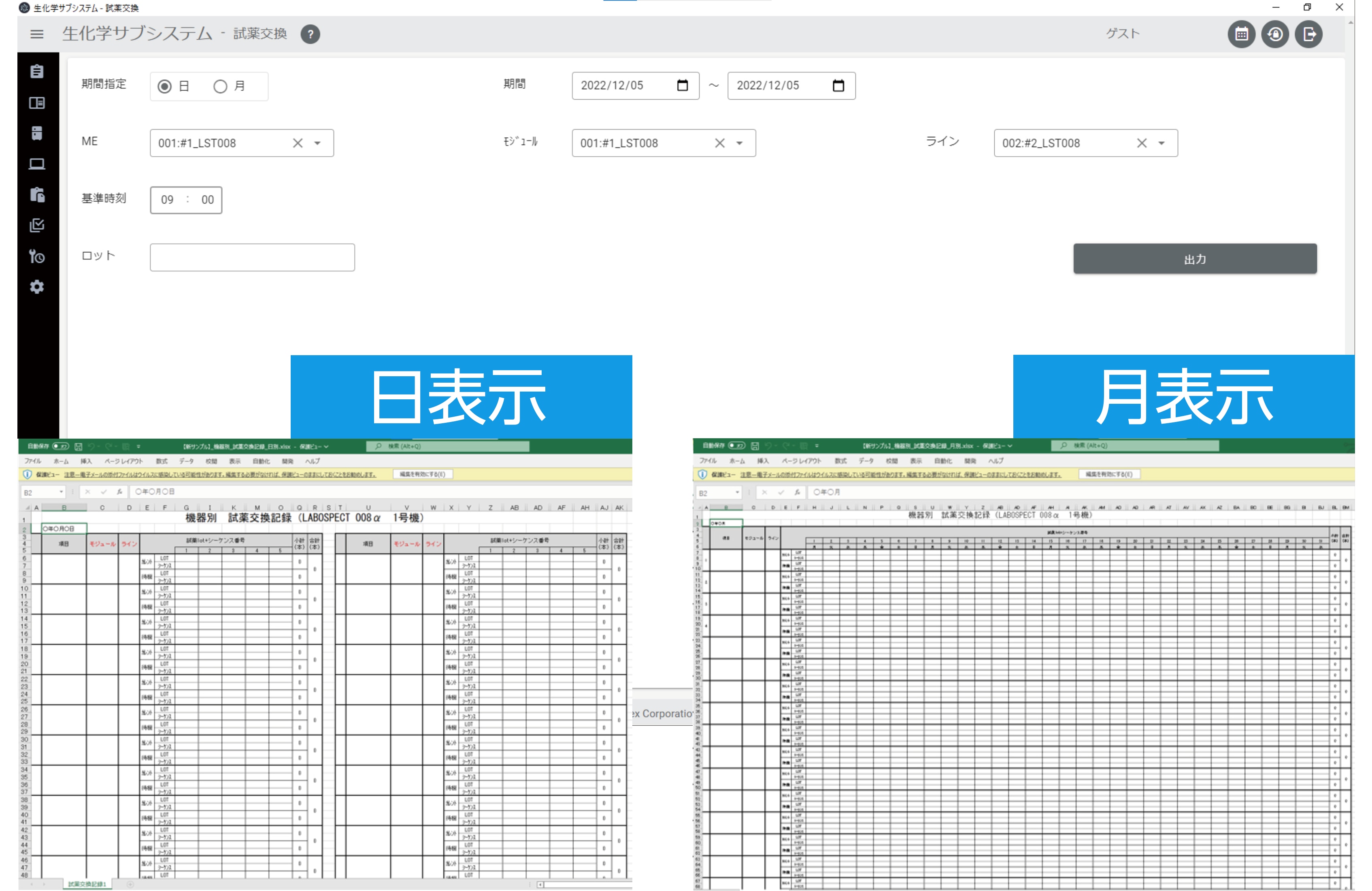
8. Reagent replacement management
Hardware configuration
- Laptop computer
- External HDD
- LAN–RS232C cable converter
- 2D barcode scanner (compatible with GS1-128)
- Hub (8-port)
- LAN cable
- RS232C cable
- Power strip
- Mobile router for remote access (used when facility network is unavailable)
This page contains product information intended for the Japanese market.